
What is Auction Pro?
Auction Pro is a modern, enterprise-grade web application designed to facilitate online auction sales with complete lifecycle management. From product listing to payment processing and user management, this system provides a seamless experience for administrators, cashiers, and end users.
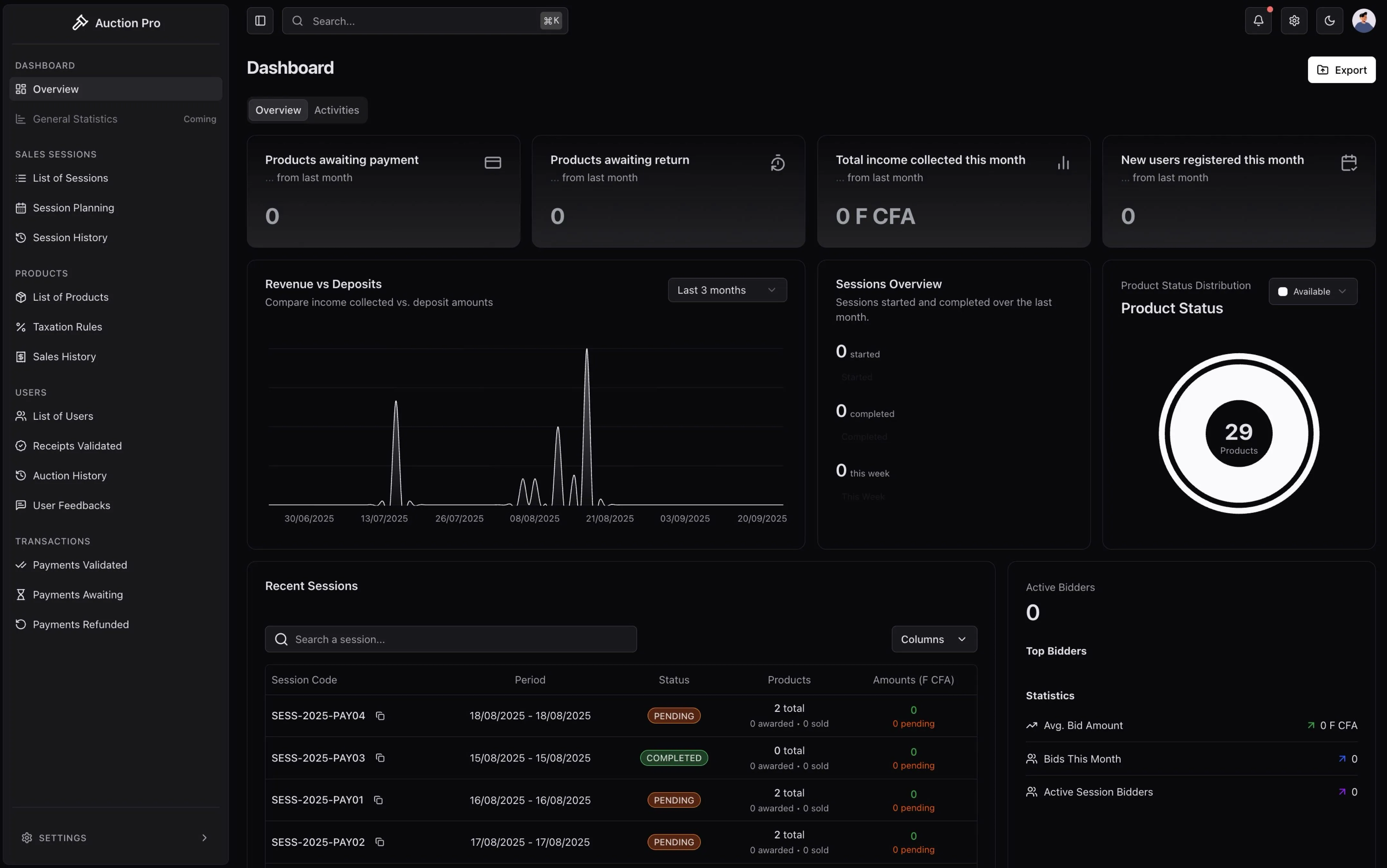
Screenshot: Main dashboard overview with real-time auction statistics
✦ Real-time bidding with instant updates
✦ Complete payment integration with Stripe
✦ Multi-role dashboards for different user types
✦ Enterprise-ready security with OAuth 2.0
✦ Scalable architecture from startups to enterprise
✦ Comprehensive audit trails and reporting
✦ Frontend: Next.js 15, TypeScript, Tailwind CSS v4, Shadcn UI
✦ Backend: Node.js, PostgreSQL, Prisma ORM
✦ Authentication: NextAuth.js v5 with Google OAuth
✦ Payments: Stripe integration with webhooks
✦ Storage: Supabase for file management
✦ Real-time: WebSockets for live bidding
✦ SaaS Hosted: Ready-to-use cloud solution
✦ Self-Hosted: Deploy on your infrastructure
✦ Enterprise: Custom deployment with support
✦ Multi-Cloud: AWS, Azure, GCP compatible
🗂️ Quick Navigation
🏛️ Introduction & Overview
Understanding the system, concept, and user roles
📚 User Guides
Step-by-step guides for Admin, Cashier, and Users
⚙️ Business Implementation
Strategic implementation and business architecture
🌐 SaaS & Multi-Tenant
Enterprise solutions and subscription models
⭐ Key Features
🏛️ Core Auction Features
- Real-time Bidding System: Live auction rooms with instant bid updates
- Session Management: Complete auction session lifecycle (pending → in-progress → completed → closed)
- Product Management: Comprehensive product catalog with categories, images, and pricing
- Automatic Bid Processing: Smart bid validation and winner determination
- Advanced Search & Filtering: Find auctions by category, price range, and status
- Bidding History: Complete audit trail of all bids and user actions
💳 Payment & Financial Management
- Stripe Integration: Secure payment processing with multiple payment methods
- Deposit System: Security deposits (500,000 FCFA) for auction participation
- Acquisition Payments: Automated payment processing for won items
- Refund Management: Complete refund workflow with automatic processing
- Receipt Generation: Automated invoice and receipt generation
- Financial Reporting: Comprehensive transaction tracking and analytics
👥 Multi-Role Dashboard System
- Admin Dashboard: Complete system oversight and management
- Cashier Interface: Payment verification and receipt management
- User Portal: Personal auction participation and payment tracking
- Role-based Access Control: Granular permissions and security
- Activity Monitoring: Real-time user activity and system health
- Notification System: Automated alerts and communication
👥 User Roles
🔑 Administrator - Full System Access
Primary Functions:
- Session management and oversight
- User management and permissions
- Financial oversight and reporting
- System configuration and settings
- Analytics and performance monitoring
Dashboard Features:
- Real-time auction statistics
- User activity monitoring
- Revenue and financial reports
- System health indicators
💰 Cashier - Payment Operations
Primary Functions:
- Receipt validation and processing
- Payment verification and confirmation
- Refund processing and management
- Transaction dispute resolution
Dashboard Features:
- Payment processing interface
- Transaction history and tracking
- Receipt generation tools
- Financial reconciliation
👤 User - Auction Participation
Primary Functions:
- Browse and search auctions
- Place bids and manage watchlists
- Make payments and deposits
- Track auction history and wins
Dashboard Features:
- Personal bidding history
- Payment and deposit management
- Won items and collection status
- Account settings and preferences
🚀 Getting Started
1. Understanding the System
Start with our System Overview to understand the concept and workflow
2. Choose Your Path
Select your User Guide based on your role (Admin, Cashier, User)
3. Business Setup
Follow our Administrator Guide for getting started
4. Business Integration
Explore our User Guide for platform features
📖 Documentation Structure
🏛️ Introduction & Overview
System concept, workflow, and user roles - Perfect starting point for new users
📚 User Guides
Functional guides for each user role with screenshots and step-by-step instructions
⚙️ Business Architecture
For business leaders and system architects - strategies, implementation, scaling guides
🌐 SaaS & Multi-Tenant
Enterprise features and scaling solutions for larger organizations
Need help? Contact our support team for assistance • Ready to get started? Check out our Introduction & Overview!
💬 Help Us Improve
Your feedback helps us create better documentation for everyone. Please let us know if this page was helpful or if you have suggestions for improvement.
How is this guide?